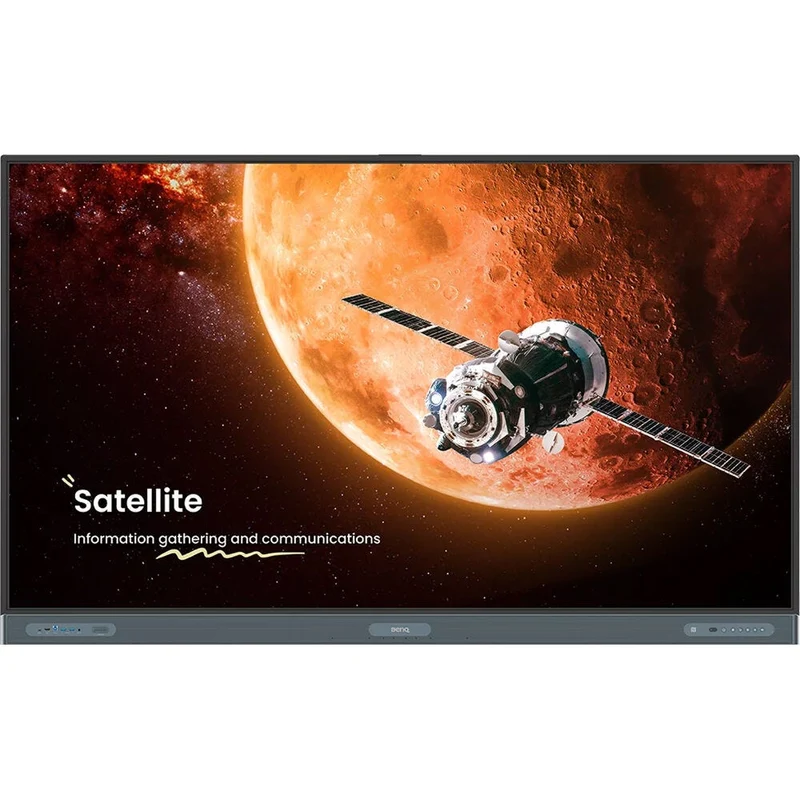
BenQ RP8604 Board Pro RP04 86" 4K UHD IPS 450Nits Touchscreen Commercial Display
BenQ · digiDIRECT
Last seen $11,999 on 9 Aug 2026
Not on special right now. $11,999 is the last price we recorded on 9 Aug 2026.
In stock when we last checked on 9 Aug 2026. Prices change — confirm on the store's page before buying.
Price history
We started tracking this on 6 Aug 2026 and have recorded a single price so far. The chart appears once we've seen the price move.
Description
Harness the power of BenQ hardware and Google services for education with the BenQ RP8604 Board Pro RP04 86" 4K UHD IPS 450Nits Touchscreen Commercial DisplayThe RP8604 is a 450 nits bright interactive display powered by Android 13 OS which comes loaded with built-in access to Google apps, tools, and voice assistant.
Designed for classrooms, it features up to 50 points of ultra-precise touch for multiple users at the same time. Connect a wide variety of devices via HDMI, DisplayPort, VGA, USB-C, or wireless screen share and annotate freely with the included EZWrite whiteboard software. For a complete interactive screen experience, the RP8604 includes built-in Wi-Fi, a powerful 2.1-channel speaker system, and 8-microphone array. It also has built-in support for a BenQ webcam (sold separately).
Key Features of the BenQ RP8604 Board Pro RP04 86" 4K UHD IPS 450Nits Touchscreen Commercial Display
- UHD 4K (3840 x 2160) Native Resolution
- IPS LCD Panel with IR Touch
- LAN & RS-232 Controllable
- 4 x HDMI | 1 x DisplayPort | 1 x VGA
- 2 x USB-C Inputs with 65W Power Output
- 1200:1 Static Contrast Ratio
- 450 nits Brightness
- Google EDLA-Certified for Classrooms
- Built-In 2.1-Channel Speaker System
- Integrated EZWrite Whiteboard Software
Google EDLA Certified
The new EDLA-certified BenQ Board Pro RP04 gives you the best possible classroom experience by combining the power of BenQ software and hardware with official Google services for education.
- Get access to your favorite education apps right on the BenQ Board.
- Google’s Core Services come preinstalled.
- Use any of the Google Docs Editors to open lesson files directly from your board.
- With Google Drive on the board, you can conveniently open your cloud-based teaching materials and then save them back to your drive once class is done.
- Google Play Protect safeguards your displays and prevents you from installing potentially harmful apps and malware.
Personalized Home Screen
Personalize your board’s Home screen by adding new pages and pinning your most-used apps and files.
- Quickly look up information directly from the Home screen with Google Search.
- Personalize your screen with handy widgets such as the timer, calendar, and sticky notes.
- Get a helping hand while teaching by speaking to Google Assistant from your remote.
Google AI Tools for More Inclusive Lessons
The included Google AI tools are designed to provide easier accessibility for more inclusivity.
- Hear text as it is displayed or written on screen with Text-to-Speech.
- Multilingual translation allows you to translate text in numerous languages for more context-rich lessons.
- With Optical Character Recognition (OCR) you can easily edit text from photos and scanned pages.
EZWrite 6 Whiteboard Software
EZWrite is a powerful whiteboard with a collection of tools designed for more engaging lessons. It lets students get their hands on the board whether you’re teaching in person or online. EZWrite 6 lets you do more than just write and draw. You can expand the size of your canvas, split it into sections, pull up templates and measuring tools, and even share your live camera feed.
- EZWrite supports Office files so you can import slideshows, documents, sheets, or PDFs and use them to teach.
- Add notes during class, and save your session as an editable IWB file or export it as a PDF handout for your students.
- Activating cloud whiteboarding extends your session to remote students, wherever they may be. They can write and participate freely as if they were right in front of the board.
Ideal for a Teaching Environment
The RP04 comes out of the box with everything you need to give effective and engaging lessons.
- Split-screen mode lets you teach more efficiently as it allows you to use two apps side by side.
- Save time by logging in to the RP04 with a simple tap of your NFC card or by scanning the QR code with your phone.
- Access your cloud storage and load personal settings on any BenQ Board Pro
Details
- Weight
- 64.7 kg
- Store
- digiDIRECT
- Brand
- BenQ
- SKU
- 166055
- Category
- Audio & Headphones
- First tracked
- 6 Aug 2026
- Last checked
- 9 Aug 2026