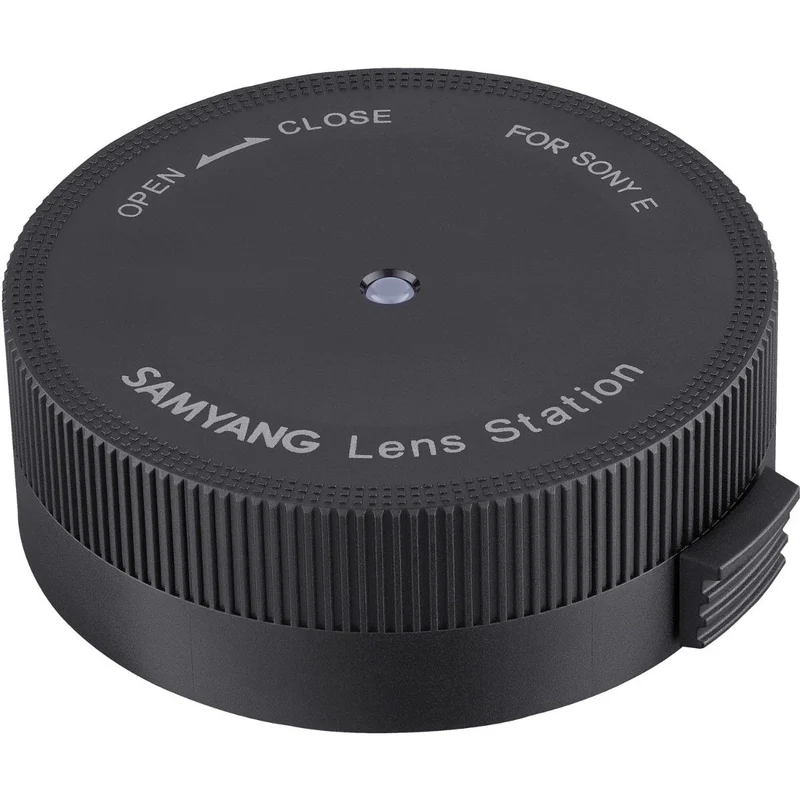
Samyang Lens Station Dock for
SAMYANG · digiDIRECT
$119
Last seen $119 on 9 Aug 2026
Not on special right now. $119 is the last price we recorded on 9 Aug 2026.
In stock when we last checked on 9 Aug 2026. Prices change — confirm on the store's page before buying.
Price history
Every price we've recorded
We started tracking this on 6 Aug 2026 and have recorded a single price so far. The chart appears once we've seen the price move.
Description
As published by digiDIRECT
Fine-tune lens performance with this Samyang Lens Dock for Sony FE Mount AF Lenses . Used in conjunction with Samyang's Lens Manager software for Mac and Windows, this console connects to Sony E lenses at the bayonet mount and permits customization over focus and aperture parameters, calibration, and lens's firmware can also be updated.
User Guide Samyang Lens Manager is only compatible with Samyang autofocus lens series. Manual focus lenses or other brand lenses do not work with the device. Please install Lens Manager™ software on your computer first.
1) Attach the lens on Lens Station
Remove the body cap of Lens Station device
Match the red dot on Lens Station mount and white dot on the autofocus lens mount
Rotate the lens toward CLOSE until you hear the click sound
2) Connect Lens Station
- Use a USB cable to connect Lens Station and computer
- Start Lens Manager software and customize features or update firmware
3) Remove the Lens from Lens Station
- Close the software when update or customization is completed
- Remove USB cable
- Rotate the lens toward OPEN while pressing down the lens release button on the device. Please find more details on user manual.
- MPN - 200998
- GTIN - 8809298880996
Details
As published by digiDIRECT
- Weight
- 200 g
- Store
- digiDIRECT
- Brand
- SAMYANG
- SKU
- 128572
- Category
- Lenses
- First tracked
- 6 Aug 2026
- Last checked
- 9 Aug 2026
More Lenses deals
Live drops in the same category, around the same price

More deals at digiDIRECT
Other things on the way down at this store